 Avasetu
For Pune agents and channel partners
Your guide to Avasetu
Pick a project, add your prices and it is live: your page, your link, posts and a Reel. Every buyer who enquires becomes a lead card on your phone. Here is what you get and how to do it all yourself, step by step.
1 month free for the first 20 agents · No card · No app to install
What you get
Over 12,000 project pages with MahaRERA facts. Pick your project instead of typing it.
avasetu.in/agent/your-name, with your name, photo, colours and every property you sell.
The full project page in your colours, with your prices and your enquiry form. Share it anywhere.
Made for each property and posted on Avasetu’s Facebook and Instagram with your name, when you say so.
Each enquiry shows BHK, budget, timing, how warm the buyer is and which projects they looked at.
Buyers who asked Avasetu about a home. See what they want, then ask for the ones you can serve.
It answers questions on your page and asks for their number, so a buyer is not left waiting.
How many people saw, clicked and enquired, for each property and post.
Your first day, in 7 steps
- 1Claim the trialSend TRIAL to us on WhatsApp
- 2Sign inYour number plus the code on WhatsApp
- 3Set up your pageName, photo, colours. Live in a minute
- 4List a projectPick it, check your prices, post
- 5Market itPosts and a Reel, your link for your groups
- 6Buyers enquireOn your link, on WhatsApp, in the chat
- 7Follow upEvery buyer is waiting in Studio
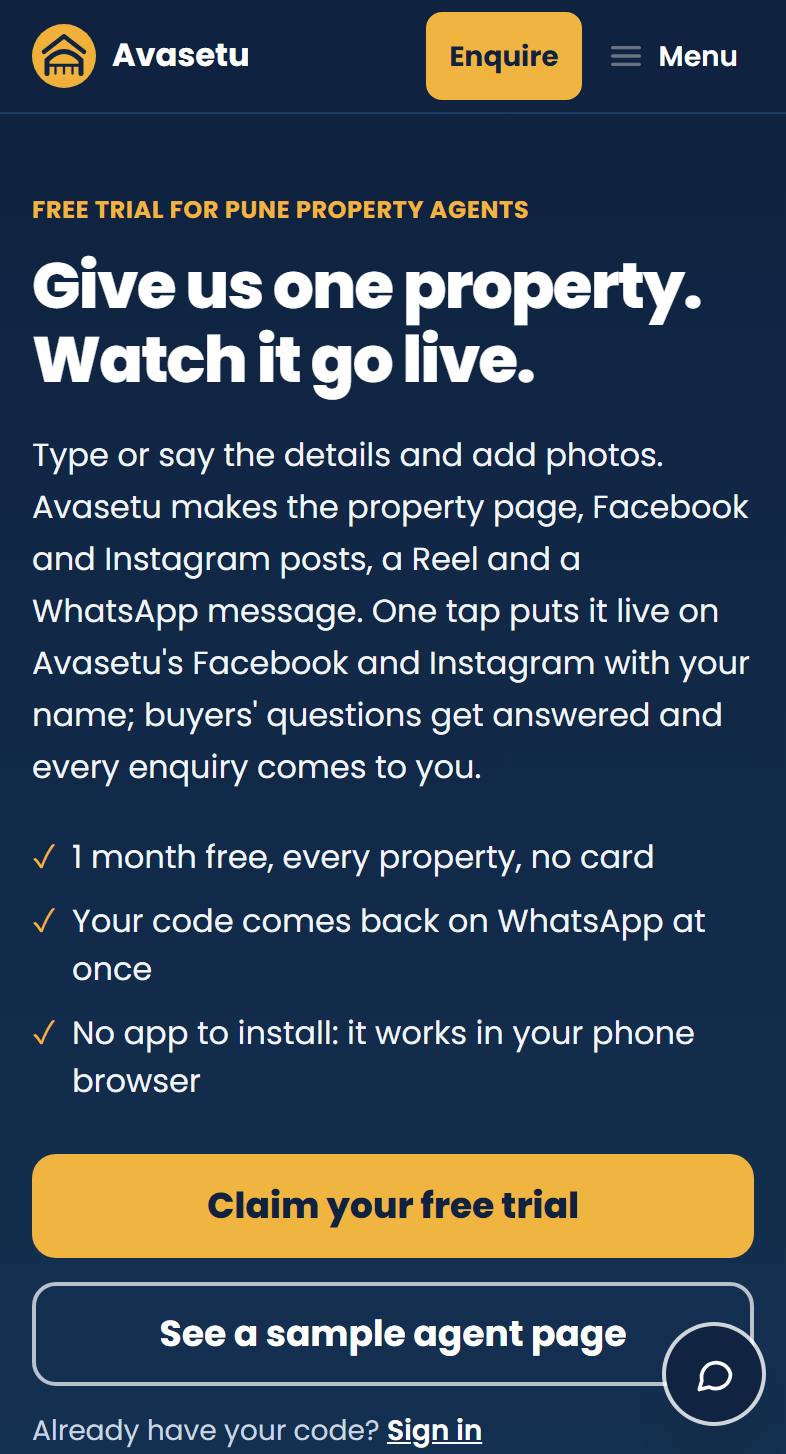
Step 1 · Claim the trial
Send TRIAL and your code comes back at once
Open avasetu.in/trial and tap Claim your free trial. WhatsApp opens with TRIAL already typed to our number, +91 98342 56406. Send it, and our reply comes within seconds with your 6-digit sign-up code.
Send TRIAL from the number you want to sign in with. Your code works only with the WhatsApp number that sent TRIAL. That is how we know the account is really yours.
Step 2 · Sign in
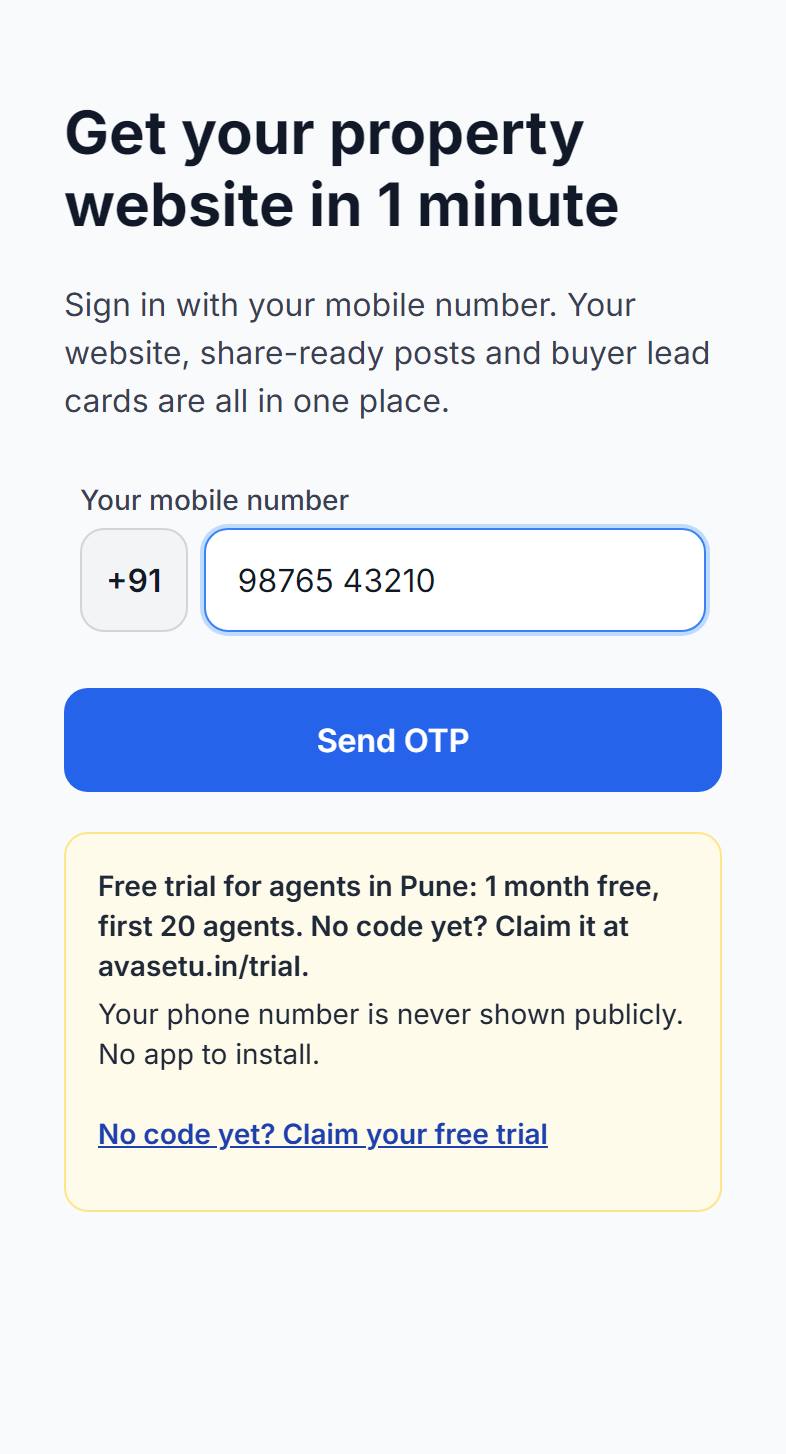
Your number, then the code from WhatsApp
Tap the link in our WhatsApp message. Your number is already filled in.
- Tap the blue button. It says Send OTP, but no SMS comes: the code comes on WhatsApp.
- Type the 6-digit code. The code in our first message also works.
- You stay signed in on that phone for 30 days. There is no password to remember.
Keep your code private. Anyone with your phone number and your code can open your account and see your buyers.
Step 3 · Set up your page
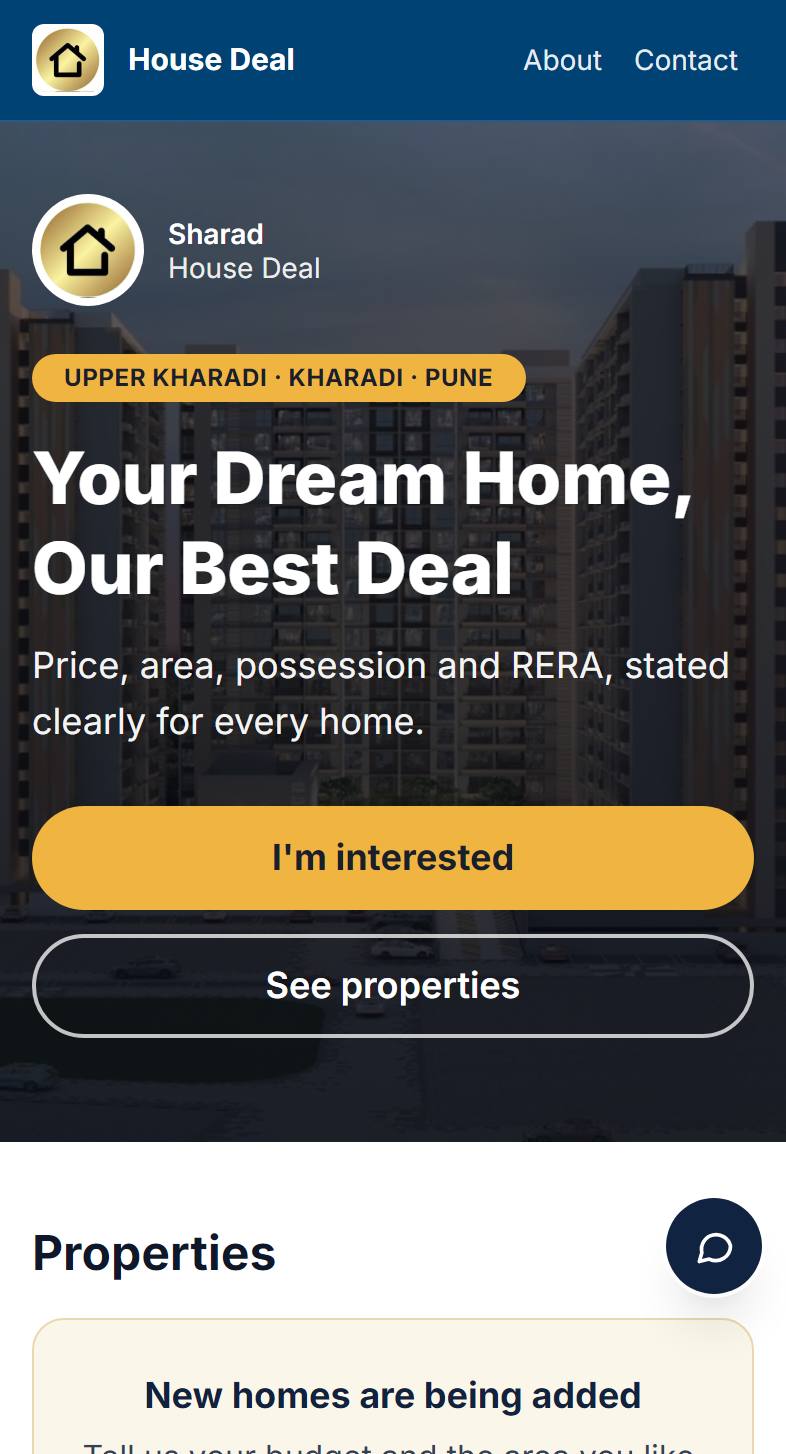
“Tell us about you”, and your page is live
Add your name, area or pincode, a photo, your business name, what you deal in, your languages and a colour. Your page goes live straight away at avasetu.in/agent/your-name, with a short bio written for you. You can change anything later under Profile.
Add your MahaRERA agent number within 7 days in Studio → Profile → My brand. Your public page needs it, and it shows on your page and posts so buyers can trust you.
The number buyers see can be different. You sign in with the number that sent TRIAL. Under Profile you can set another WhatsApp number for buyers, such as your office number.
Step 4 · List a project
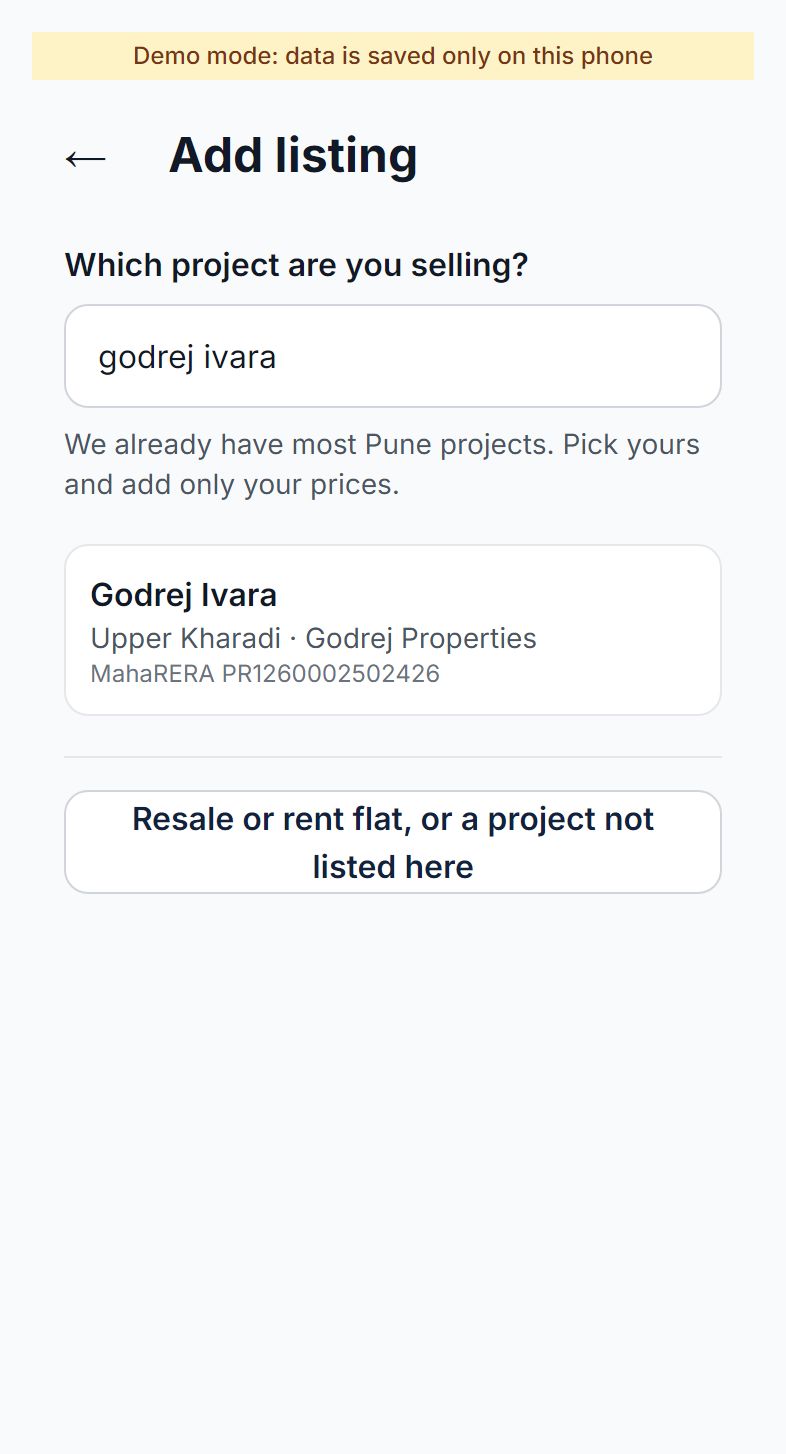
Pick the project. Most of it is already done
Most Pune projects already have a page on Avasetu, so you start from it instead of typing.
- In Studio, open Listings → Add.
- Search by project name, area or MahaRERA number, and tap your project.
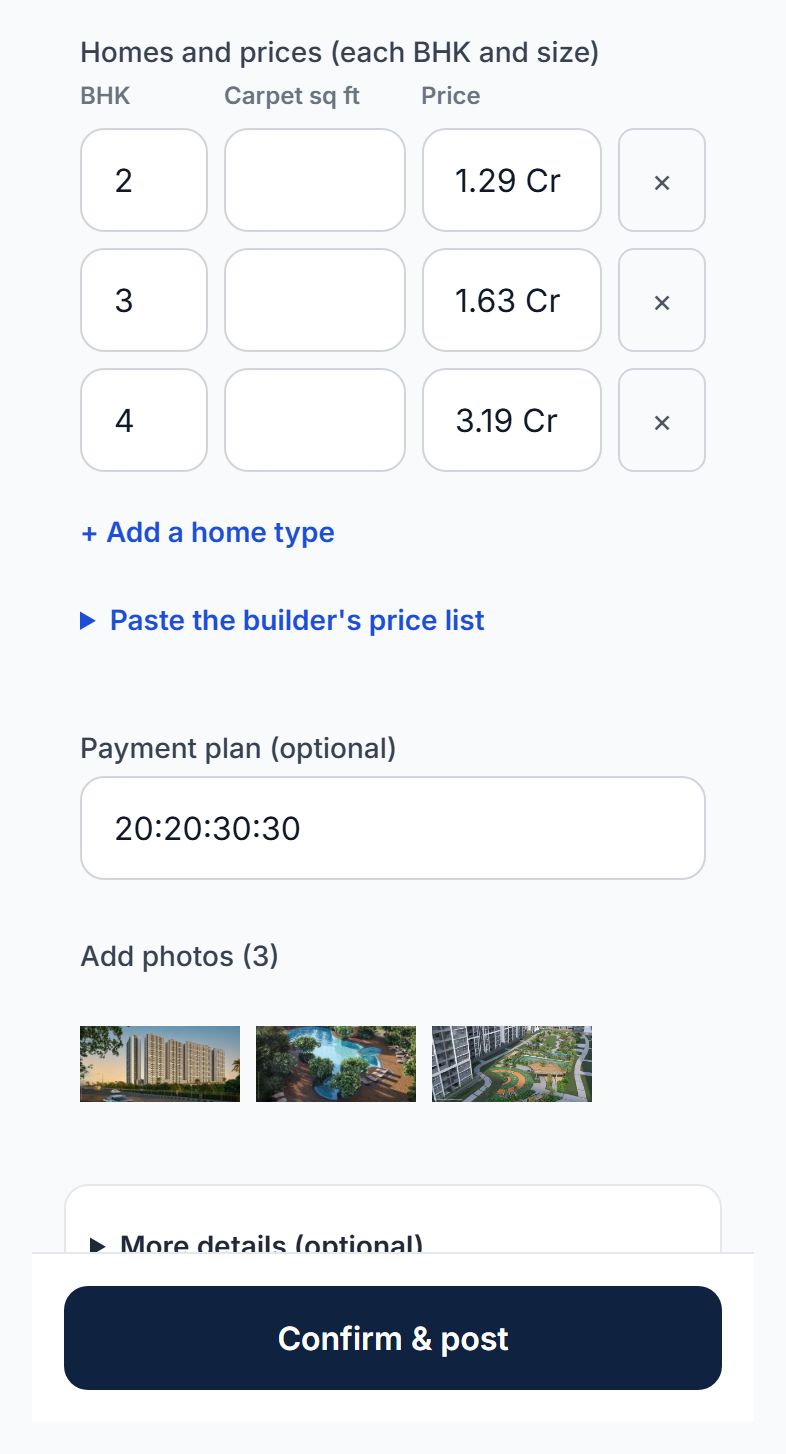
- The check screen opens with the MahaRERA facts, the title, the page’s photos and any sizes and prices published online.
- Change the prices to what you are selling at today. Add every size and your payment plan.
- Untick any photo you do not want, add your own, and tap to post.
It goes live at once on your page, and Avasetu’s project page shows your name, prices and photos.
On a project page, signed in? Tap List this project under its name and you land on the same check screen.
Resale, rent, or a project we do not have
Describe it, and we fill in the form
On the first screen tap Resale or rent flat, or a project not listed here. Type or say the details the way you would tell a buyer, such as “2 BHK in Baner, 85 lakh, 950 sq ft carpet, 7th floor, ready to move”, add photos and tap Next. Check what we read, then post.
Selling a new project? It needs a MahaRERA number before it can be marketed. Put the number in your description and we fill in the rest from MahaRERA’s public record.
Step 5 · Market it
One property becomes posts, a Reel and a link to share
After posting, tap Start marketing. We prepare:
- a photo post and a details post with the price table, for Facebook and Instagram,
- a Reel,
- a ready-made WhatsApp message to forward to your buyers and groups.
With one tap they go live on Avasetu’s Facebook and Instagram with your name. Nothing is posted until you say so.
Always share your own link. The link on your listing is your copy of the page, with your name, your form and your WhatsApp button. Enquiries from it come straight to you.
Step 6 · Buyers enquire
How buyers reach you, and whose lead it is
| The buyer | What happens | Whose lead, and where |
|---|---|---|
| Fills the enquiry form on your page or your listing link | Their name, number, BHK, budget, move-in date and payment plan are saved, with the properties they looked at | Yours, at once: Leads, and at the top of Studio Home |
| Taps the WhatsApp button on your page | Their WhatsApp opens a chat with you | Yours: your own WhatsApp |
| Chats on your page | Our assistant answers questions about your properties and asks for their number | Yours: Inbox and Leads |
| Messages Avasetu on WhatsApp, Instagram or Facebook about your property | Our assistant answers first, then passes the buyer to you | Yours: Studio Home, “buyer was passed to you” |
| Enquires on Avasetu’s own project page | The page shows your name, prices and photos, but no agent’s number. The Avasetu team follows up | Avasetu’s lead. It may be passed to you, or appear on the Lead Board |
The enquiry form
Know their budget before you call
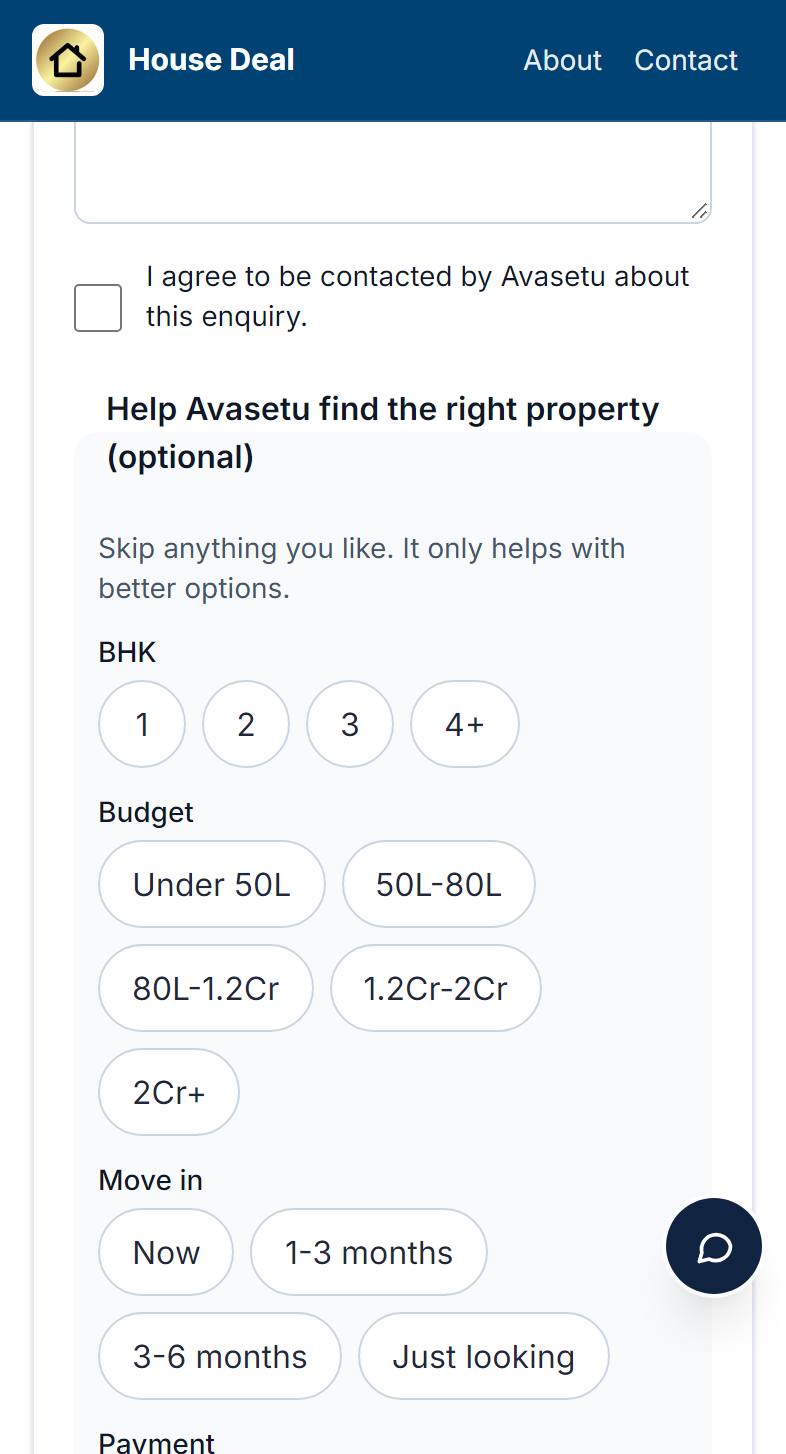
Buyers give their name and number and agree to be contacted. The questions below are optional, but most buyers answer them, so you know their BHK, budget and timeline before you call.
Turn on alerts in Studio so a new buyer rings your phone, and open Studio at least once a day. New enquiries wait at the top of Studio Home. Alerts come from Studio, not as a WhatsApp message. Call new buyers the same day, while they are still looking.
The Lead Board
More buyers than your own listings bring
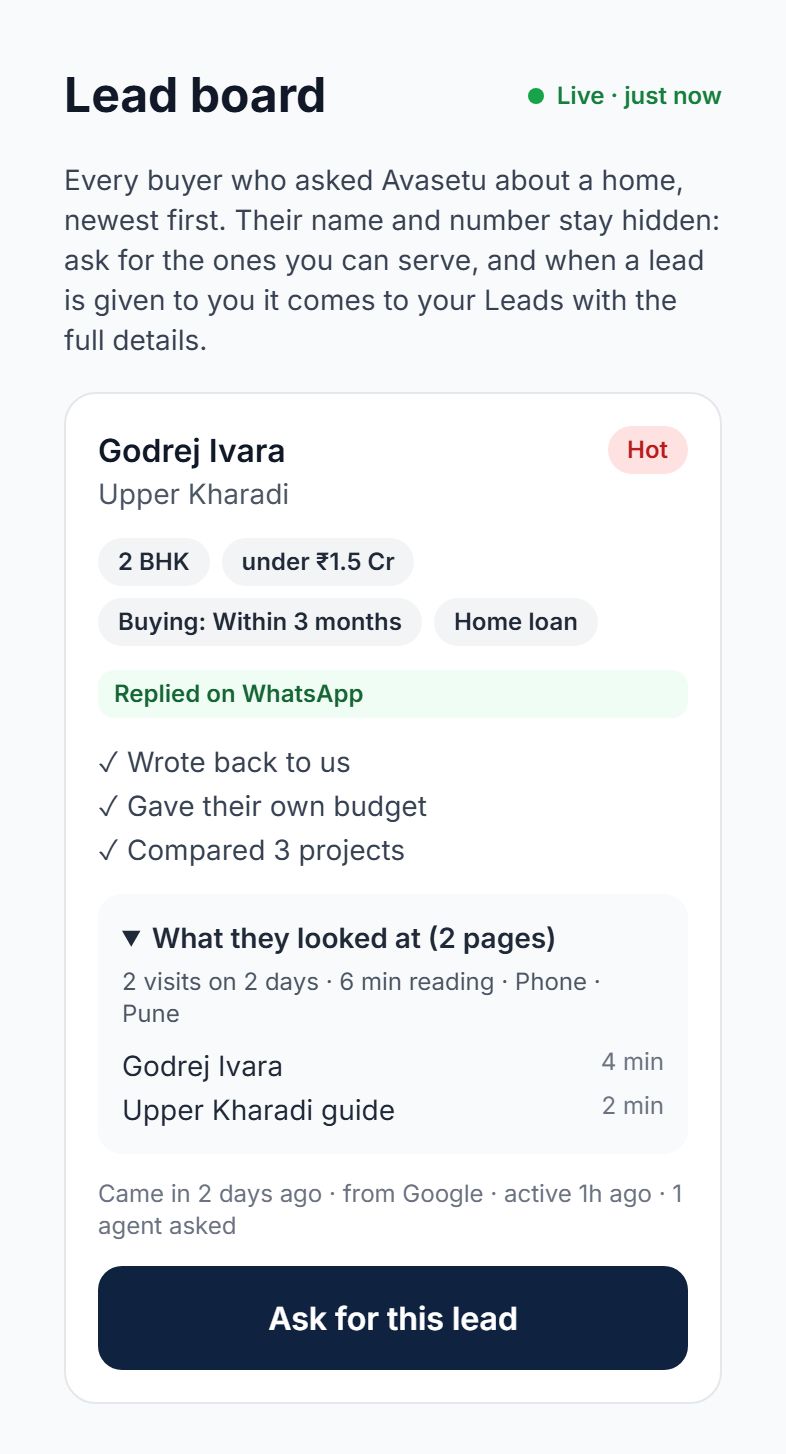
Buyers ask Avasetu about homes every day. Open Leads in Studio and tap Lead Board at the top to see them, newest first.
- Each card shows the project or area, BHK, budget, timing, how old the lead is and why it looks genuine.
- You also see what the buyer read on the site. Their name, number and words stay hidden.
- Tap Ask for this lead. You can add an offer, a fee or a share of your brokerage when it closes, or send no offer at all.
- Offers are sealed: other agents see how many asked, never what anyone offered.
- The Avasetu team gives each lead to one agent. If it is you, it arrives in your Leads with everything we know.
Step 7 · You follow up
Your Studio, screen by screen
“Needs you now”: new buyers, buyers to call today, buyers passed to you, posts waiting for your OK. Start here every day.
Every buyer with their budget and needs, their chats and your call notes. Send a WhatsApp follow-up from here and mark each one Won or Lost when it is settled.
Buyers who asked Avasetu, with no name or number. Ask for the ones you can serve.
Website chats and comments that need your answer.
Add properties, add photos, confirm they are still available.
How many people saw, clicked and enquired about each property and post.
Your photo, the WhatsApp number buyers see, logo, colours and MahaRERA number.
Common questions
What does it cost?
The first month is free for the first 20 Pune agents, with no card. After that it is a small monthly fee, and we tell you the price before anything changes. On the Lead Board an offer is your choice, and you can ask for a lead with no offer at all.
Who can see my leads?
Leads that come to you are yours: other agents never see them. We never sell a buyer’s details, and buyers tick a box agreeing to be contacted about their enquiry.
Another agent lists the same project
That is allowed, and each of you keeps your own page and link. Avasetu’s project page shows the most complete listing: more sizes with prices come first, then more photos. So add every size, price and photo you can.
Is my phone number shown on Avasetu’s project pages?
No agent’s number is shown there. Buyers who enquire there reach the Avasetu team. Your own page and your listing links carry your WhatsApp button, so share those.
I do not have a MahaRERA agent number
You need one for a public page, because the law requires it to market projects. Without it your page does not stay live, but you can still see the Lead Board and sign in. Add it in Studio → Profile → My brand.
I want to use a different phone number
For buyers to contact you: keep signing in as now and change the WhatsApp number under Studio → Profile.
To sign in with: send TRIAL from WhatsApp on the new number and you get a code for it. Do this before you set up your page: a new sign-in number starts a fresh, empty account.
I did not get a code
Your trial code is still in our WhatsApp chat, so scroll up. If you cannot find it, send TRIAL again from the same number. An hour after your last code, a new one comes for the same account.
It says “too many wrong attempts”
Wait 30 minutes and try again. If it says your invite is locked, message us on WhatsApp and we will send a new code.
Can I test my enquiry form?
Yes. Ask a friend to fill it on their phone, then check that it appears under Leads. A test from your own number also shows as a lead: mark it Lost so it does not stay on your list.
Do I need to install an app?
No. Studio works in your phone browser at avasetu.in/studio. Add it to your home screen from the browser menu to open it in one tap, and turn on its alerts so a new buyer rings your phone.
Need help? Message us on WhatsApp at +91 98342 56406 and the Avasetu team will reply. Ready to start? Open Studio.